Aliens
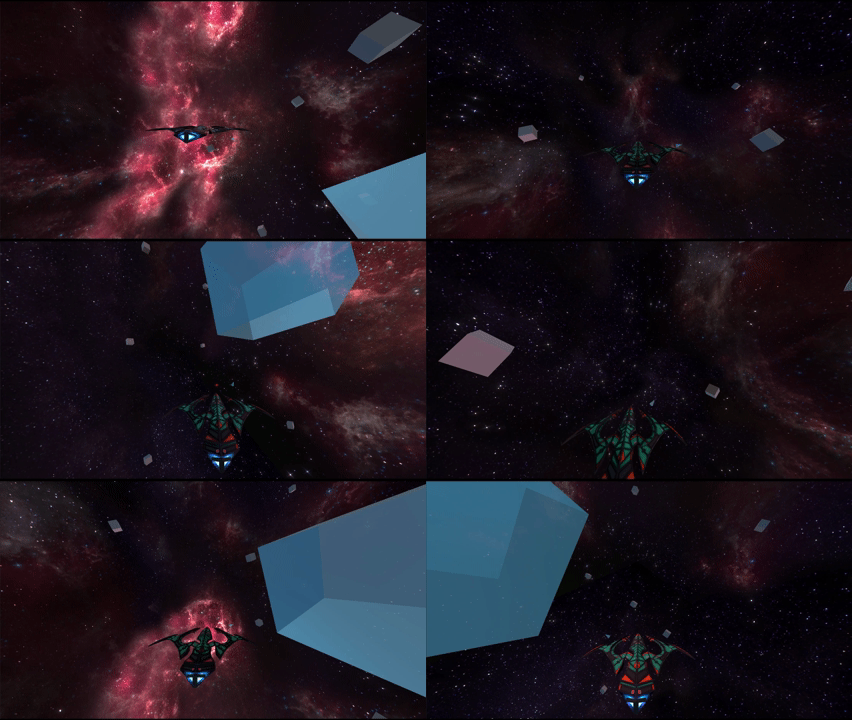
Small prototype of a Space Ship Inspired by StarFox64
1 Review
For this small prototype, my goal was to recreate the general movement feel of Star Fox–style space flight. I focused mainly on how the ship handles and how easy the system would be to tweak from a gameplay designer’s point of view.
I’m especially satisfied with how the movement turned out: the controls feel responsive, and all the main values are exposed and easy to adjust. This made it simple to test different behaviours without needing to rewrite code, which was an important goal for me while building this system.

The intended player experience is the feeling of training as a space pilot, learning to control a fast and agile ship while navigating open space.
2 Process
I started by creating an empty space to represent the environment the player would fly in. Once that was set up, I implemented the spaceship controller, focusing on free movement and responsiveness. After that, I added a basic shooting system.
During early testing, I noticed that even though the ship could move very fast, the speed didn’t feel noticeable because the environment was too empty. To solve this, I added a particle system around the player, spawning particles in a large radius that are fixed in world space. This gave a much stronger sense of motion, as particles visibly pass by the ship while flying.
However, this introduced a new issue: it was very easy to get lost in such a large, empty space. To improve orientation, I added a few static objects to give the player reference points. This helped with depth and perspective, but players could still easily fly away and lose track of them.
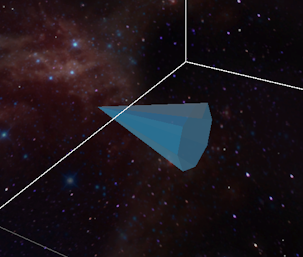
To address this, I implemented a simple guidance system: a cone-shaped arrow that rotates within a limited radius around the player and points toward a designated object. This ensures the player can always reorient themselves and return to a point of interest without restricting movement.
3 Weapon System & Technical Challenges
While working on the weapon system, I ran into several issues related to projectile speed and physics. Initially, the bullets were moving so fast that they were almost invisible, and collisions were being missed entirely.
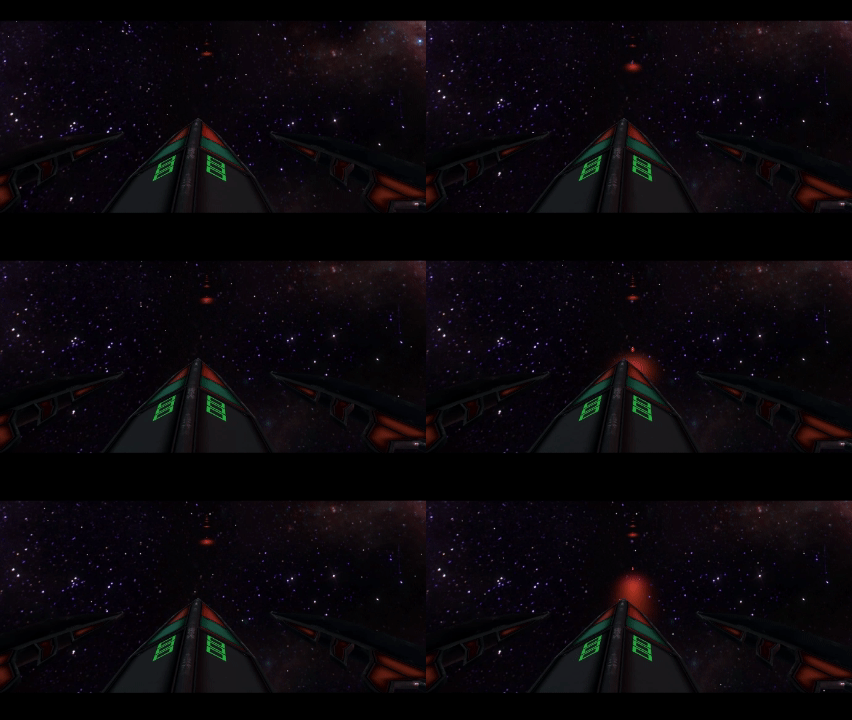
Slowing the bullets down made them easier to track, but aiming was still difficult because it was hard to see where shots were going. To solve this, I added a trail renderer to the bullets and iterated on its length, width, and colour until the projectiles were clearly readable during gameplay.
Even after this, collisions were still inconsistent. After researching and discussing the issue in class, I discovered that the bullet size was too small for reliable physics detection and that collision settings were not configured correctly. By increasing the collider size and setting both bullets and targets to continuous dynamic collision detection with interpolation, the issue was resolved and collisions became consistent.
4 Snippets
[Movement Script]
    [Header("Movement values")]
    [SerializeField][Range(500f, 5500f)]
    float _thrustForce;
    [SerializeField][Range(50f, 250f)]
    float _pitchForce;
    ....
    private void Update()
    {

        _pitchAmount += Input.GetKeyDown(KeyCode.W) ? 1 :
                           Input.GetKeyUp(KeyCode.W) ? -1 : 0;
        _pitchAmount += Input.GetKeyDown(KeyCode.S) ? -1 :
                           Input.GetKeyUp(KeyCode.S) ? 1 : 0;

        _rollAmount += Input.GetKeyDown(KeyCode.A) ? 1 :
                           Input.GetKeyUp(KeyCode.A) ? -1 : 0;
        _rollAmount += Input.GetKeyDown(KeyCode.D) ? -1 :
                           Input.GetKeyUp(KeyCode.D) ? 1 : 0;


        //scroll for speed controls
        float scrollInput = Input.GetAxis("Mouse ScrollWheel");
        if (scrollInput > 0)
        {
            _thrustForce += 200;
            _rollForce += 4;
            _pitchForce += 8;
        }
        else if (scrollInput < 0)
        {
            _thrustForce += -200;
            _rollForce += -4;
            _pitchForce += -8;
        }

    }
    private void FixedUpdate()
    {
        //Youre a SpaceShip, you will ALWAYS be moving forward ! ! !
        _rigidBody.AddForce(transform.forward * (_thrustForce * Time.fixedDeltaTime));

        if (!Mathf.Approximately(0f, _pitchAmount))
        {
            _rigidBody.AddTorque(transform.right * (_pitchForce * _pitchAmount * Time.fixedDeltaTime));
        }
        if (!Mathf.Approximately(0f, _rollAmount))
        {
            _rigidBody.AddTorque(transform.forward * (_rollForce * _rollAmount* Time.fixedDeltaTime));
        }
[Projectile Script]
    [SerializeField][Range(200f, 1000f)] float _launchForce;
    [SerializeField][Range(2f, 10f)] int _range;

    float _duration;
    bool OutOfFuel
    {
        get
        {
            _duration -= Time.deltaTime;
            return _duration <= 0f;
        }
    }

    Rigidbody body;

    private void Awake()
    {
        body = GetComponent<Rigidbody>();
    }

    private void OnEnable()
    {
        body.AddForce(_launchForce * transform.forward);
        _duration = _range;

        GameObject player = GameObject.FindGameObjectWithTag("Player");
        if (player != null)
        {
            Collider playerCollider = player.GetComponent<Collider>();
            Collider projectileCollider = GetComponent<Collider>();
            if (playerCollider != null && projectileCollider != null)
            {
                Physics.IgnoreCollision(projectileCollider, playerCollider);
            }
        }
    }

    private void Update()
    {
        if (OutOfFuel) Destroy(gameObject);
    }

    private void OnCollisionEnter(Collision collision)
    {
        Destroy(gameObject);
        Debug.Log($"Projectile collided with {collision.collider.name}");
    }
}